
🏪 BLN Stores
📺 Preview
💰 Buy Now
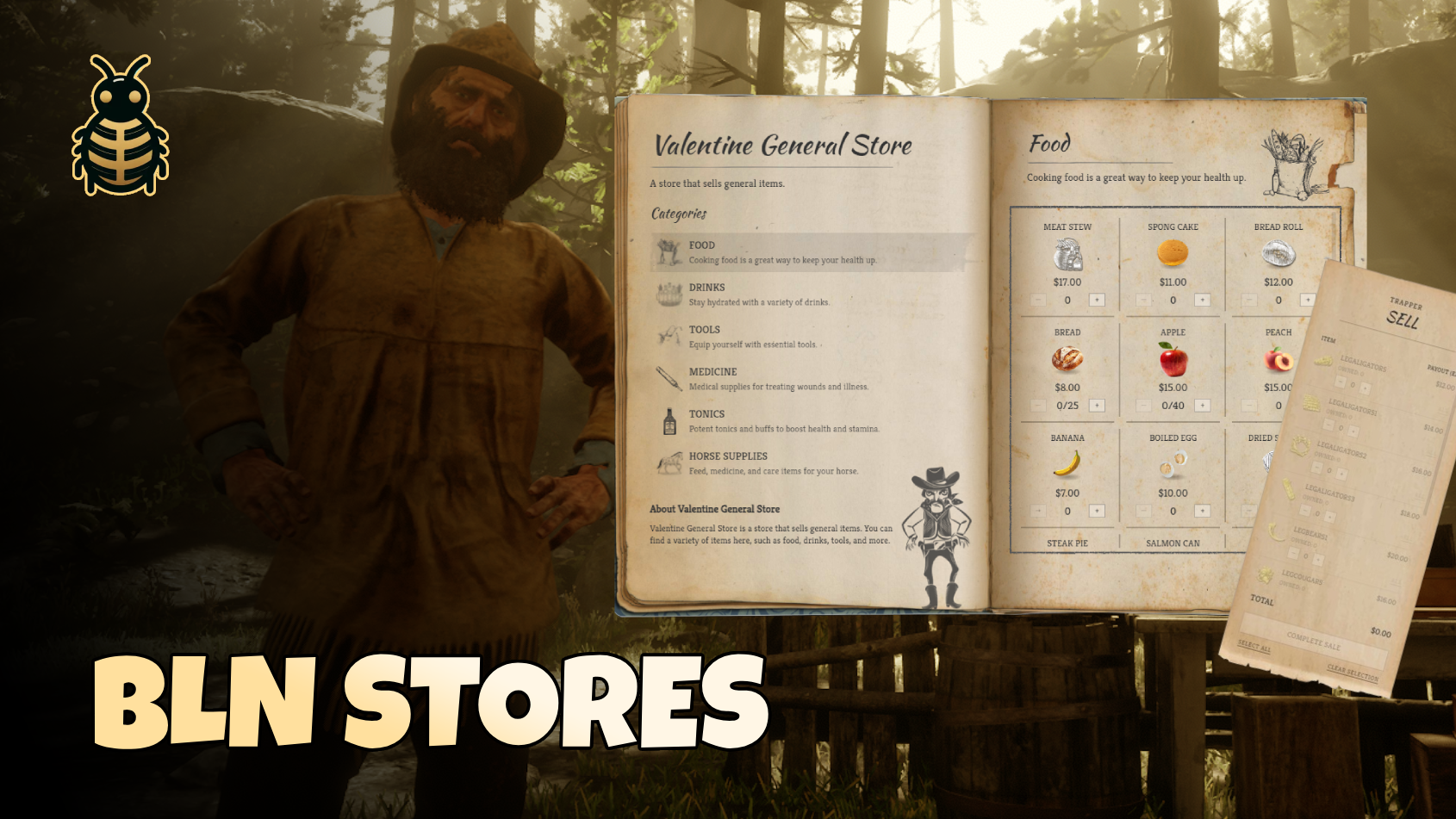
Bring your towns to life with BLN Stores — a complete buy-and-sell shop system built for immersive RedM roleplay. Players browse a stunning book-style catalog, fill their cart, and sell items back through a clean receipt menu. From general stores and saloons to gunsmiths, trappers, and butchers — every shop type is ready out of the box. Set prices, categories, stock, hours, and locations in simple config files. No coding. Set up in minutes.
✨ What can you do with it?
- 🏬 Unlimited stores — create as many shop locations as you want across the map
- 🛒 Buy items — food, drinks, weapons, tools, and more
- 💵 Sell items back — let players sell pelts, meat, weapons, or anything you allow
- 📖 Book UI — immersive buy menu with categories and a cart receipt
- 🧾 Sell UI — clean sell list based on what the player actually has in inventory
- 🏷️ Categories — reusable item lists (Food, Weapons, Trapper, etc.)
- 📦 Stock limits — optional per-item stock that runs out and restocks when players sell back
- 🔫 Weapons — buy and sell weapons (one per weapon in inventory when selling)
- 💰 Cash & gold — per-item currency for buy and sell
- 🕐 Opening hours — shops can close at night; blip color changes when closed
- 👮 Job lock — restrict a shop to certain jobs (doctor, gunsmith, etc.)
- 🗺️ Map blips — each shop can have its own blip name and icon
- 🧍 Shop NPC — spawn a ped with outfit and idle animation (scenario)
- 🏪 Shop types — general store (buy + sell), buy-only, or sell-only (trapper, butcher, pawn)
- 🌍 Translations — change all messages and UI text in one locale file
💻 Framework compatibility
✅ VORP ✅ RSG ✅Custom.
📦 Dependencies
Make sure these are started before bln_stores:
- bln_lib — v3.1.5+
- bln_notify
⚙️ Installation
- Download and extract
bln_storesinto yourresourcesfolder - Add to your
server.cfg(afterbln_libandbln_notify):
ensure bln_stores- Edit the config files in
bln_stores/config/(see below) - Restart the server
📁 Config files (the important ones)
All setup happens in the config folder:
| File | What it's for |
|---|---|
categories.cfg.lua | What items exist — names, prices, stock, sell prices. Organized into categories like Food, Weapons, Trapper. |
main.cfg.lua | Where shops are — locations, NPCs, blips, hours, and which categories each shop uses. |
locale.cfg.lua | All text — notifications, errors, button labels, UI strings. |
Simple mental model
- Categories = menus of items (like a catalog)
- Stores = shop locations that pick which catalogs they use
- You never list every item inside each store — you just assign categories
Example: Valentine General Store uses Categories.food, Categories.drinks, Categories.tools, etc.
📋 Categories (categories.cfg.lua)
A category is a group of items — like a page in the buy book.
{
    id = "food",                              -- unique name (use as Categories.food)
    title = "Food",                           -- shown in the buy menu
    description = "Cooking food...",          -- short text under the title
    image = "nui://bln_stores/ui/imgs/categories/food.png",  -- category icon (optional)
    items = {
        -- your items go here
    },
},
Item fields
Each item inside items can use these properties:
{
    name = "apple",                    -- item name in your inventory (required)
    label = "Apple",                   -- name shown in the UI (optional)
    type = "item",                     -- "item" or "weapon" (optional, default "item")

    price = 15,                        -- buy price — shop SELLS to player (optional)
    currency = "cash",                 -- "cash" or "gold" for buying (optional)
    stock = 40,                        -- how many the shop starts with (optional)
    maxStock = 80,                     -- max stock when players sell back (optional)

    sellPrice = 4,                     -- sell price — shop BUYS from player (optional)
    sellCurrency = "cash",             -- "cash" or "gold" for selling (optional)
},
What each field means
| Field | What it does |
|---|---|
name | The real item name from your inventory/database. Must match exactly. |
label | Pretty name in the shop UI. If you skip it, the name is shown instead. |
type | Use "weapon" for guns, knives, lassos, etc. Everything else is "item". |
price | If set, players can buy this item here. If you leave it out, the item is sell-only. |
sellPrice | If set, players can sell this item here. If you leave it out, the item is buy-only. |
currency | What players pay when buying — cash or gold. |
sellCurrency | What players receive when selling. Defaults to the buy currency, then cash. |
stock | Starting amount in the shop (per location). Needs Config.stock.enabled = true in main.cfg. |
maxStock | Maximum stock when players sell items back. Use with stock. |
Three common item setups
Buy only (shop sells it to players):
{ name = "banana", label = "Banana", type = "item", price = 7 },Sell only (trapper, butcher, pawn — shop buys from player):
{ name = "deerskin", label = "Deer Skin", type = "item", sellPrice = 6 },Buy + sell back (general store staple):
{ name = "apple", label = "Apple", type = "item", price = 15, sellPrice = 4, stock = 40, maxStock = 80 },🏬 Stores (main.cfg.lua)
Each shop in Config.stores is one location on the map.
{
    id = "valentine_general_store",     -- unique id (do not duplicate)
    title = "Valentine General Store",  -- shop name in UI
    description = "A store that sells general items.",
    paragraph = {                       -- optional "about" text in buy book
        title = "About Valentine General Store",
        description = "Welcome to our store...",
    },

    ped_model = { "a_m_m_valtownfolk_01", 0 },  -- NPC model + outfit preset, or false for no ped
    ped_scenario = "WORLD_HUMAN_STAND_WAITING", -- idle animation (optional). false = no animation
    coords = vector4(-324.27, 804.22, 117.88, 274.56),  -- x, y, z, heading

    blip = {
        enabled = true,
        name = "General Store",
        sprite = "blip_shop_store",
        color = "BLIP_STYLE_CREATOR_DEFAULT",      -- blip when open
        closedColor = "BLIP_STYLE_DEBUG_RED"         -- blip when closed (if hours enabled)
    },

    openingHours = {
        enabled = true,   -- false = always open
        open = 7,         -- opens at 7:00
        close = 16,       -- closes at 16:00
    },

    requiredJobs = false,  -- false = everyone, or { "doctor", "police" } for job lock

    -- Optional: override global tax for this shop only
    -- tax = { enabled = true, amount = 5 },

    categories = {         -- which category catalogs this shop uses
        Categories.food,
        Categories.drinks,
        Categories.tools,
    },
},
Store fields explained
| Field | What it does |
|---|---|
id | Internal name for the shop. Must be unique. |
title | Name players see. |
coords | Where the shop is on the map (vector4 with heading). |
ped_model | Shop NPC. Format: { "model_name", outfit_preset }. Use false for no NPC. |
ped_scenario | What the NPC does while standing (e.g. WORLD_HUMAN_STAND_WAITING). Use false to disable. |
blip | Map marker settings. |
openingHours | When the shop is open. NPC hides when closed (if hours enabled). |
requiredJobs | false for public, or a list of job names. |
categories | List of categories this shop uses — this controls buy and sell items. |
Shop types
| Type | How to set it up | Prompts |
|---|---|---|
| General store | Categories with items that have price and sellPrice | Buy + Sell |
| Buy only | Items only have price | Buy only |
| Sell only | Items only have sellPrice (e.g. Categories.trapper, Categories.butcher) | Sell only |
📦 Stock system (optional)
In main.cfg.lua:
Config.stock = {
    enabled = true,   -- set false to disable stock limits everywhere
},
When enabled:
- Items with a
stocknumber have limited quantity per shop - When a player buys, stock goes down
- When a player sells back (if the item has
sellPrice), stock goes up maxStockcaps how much sell-back can restock- Stock resets on server restart to the values in your config
- Items without
stockstay unlimited
Players see stock in the buy menu as cart amount / stock (e.g. 2/40).
🌐 Global settings (main.cfg.lua)
Config.defaultCurrency = "cash"   -- default if an item has no currency set

Config.tax = {
    enabled = true,
    amount = 2.5,                 -- flat cash tax added to purchases (not per-item %)
},

Config.closeUIAfterTransaction = false,  -- true = close menu after buy/sell

Config.prompts = {
    distance = 2.5,               -- how close player must be to see prompts
    buy = {
        title = "Buy",
        key = 0xCEFD9220,         -- E
    },
    sell = {
        title = "Sell Items",
        key = 0x760A9C6F,         -- G
    },
},
Custom item images (optional)
If your inventory uses custom image paths:
Config.itemImages = {
    customItemURL = function(itemName)
        return "nui://my-inventory/html/images/" .. itemName .. ".webp"
    end,
},
If not set, images come from your framework inventory URL automatically.
📝 Examples included
The resource ships with ready-made examples you can copy or edit:
| Shop | Type | Categories |
|---|---|---|
| Valentine General Store | Buy + sell | Food, Drinks, Tools, Medicine, etc. |
| Valentine Saloon | Buy (+ sell if items have sellPrice) | Food, Drinks, Alcohol, Tobacco |
| Valentine Gunsmith | Buy + sell weapons | Ammo, Pistols, Revolvers, Rifles, etc. |
| Trapper | Sell only | Categories.trapper — legendary pelts |
| Valentine Butcher | Sell only | Categories.butcher — hides and meat |
❓ FAQ
Copy an existing store block in main.cfg.lua, change id, title, coords, and blip, pick which categories that shop should use, then restart the resource.
Create a category with items that only have sellPrice (no price), then create a store that only uses that category. Only the Sell prompt will appear. Sell-only categories can be very simple — you only need id and items. Title, description, and image are optional.
Create two categories with different sellPrice values and assign the right one to each store. Example: Categories.food_valentine and Categories.food_rhodes.
Use a category where items have price but no sellPrice, or remove sellPrice from items you don't want sold there.
None of the shop's categories have items with sellPrice. Add sellPrice to items, or assign a sell category.
None of the items have price. Sell-only shops (trapper, butcher) are meant to work this way.
Yes. The name field must match the exact item name from your server's inventory/database. If the name is wrong, the item won't show when selling or won't be given when buying.
No. Only items with sellPrice in that shop's categories can be sold there.
No. Tax only applies to cash purchases.
Yes. If your cart has both cash and gold items, you can complete the purchase in one go.
🤝 Support
Need help? Join our Discord: