
📻 BLN Radio System
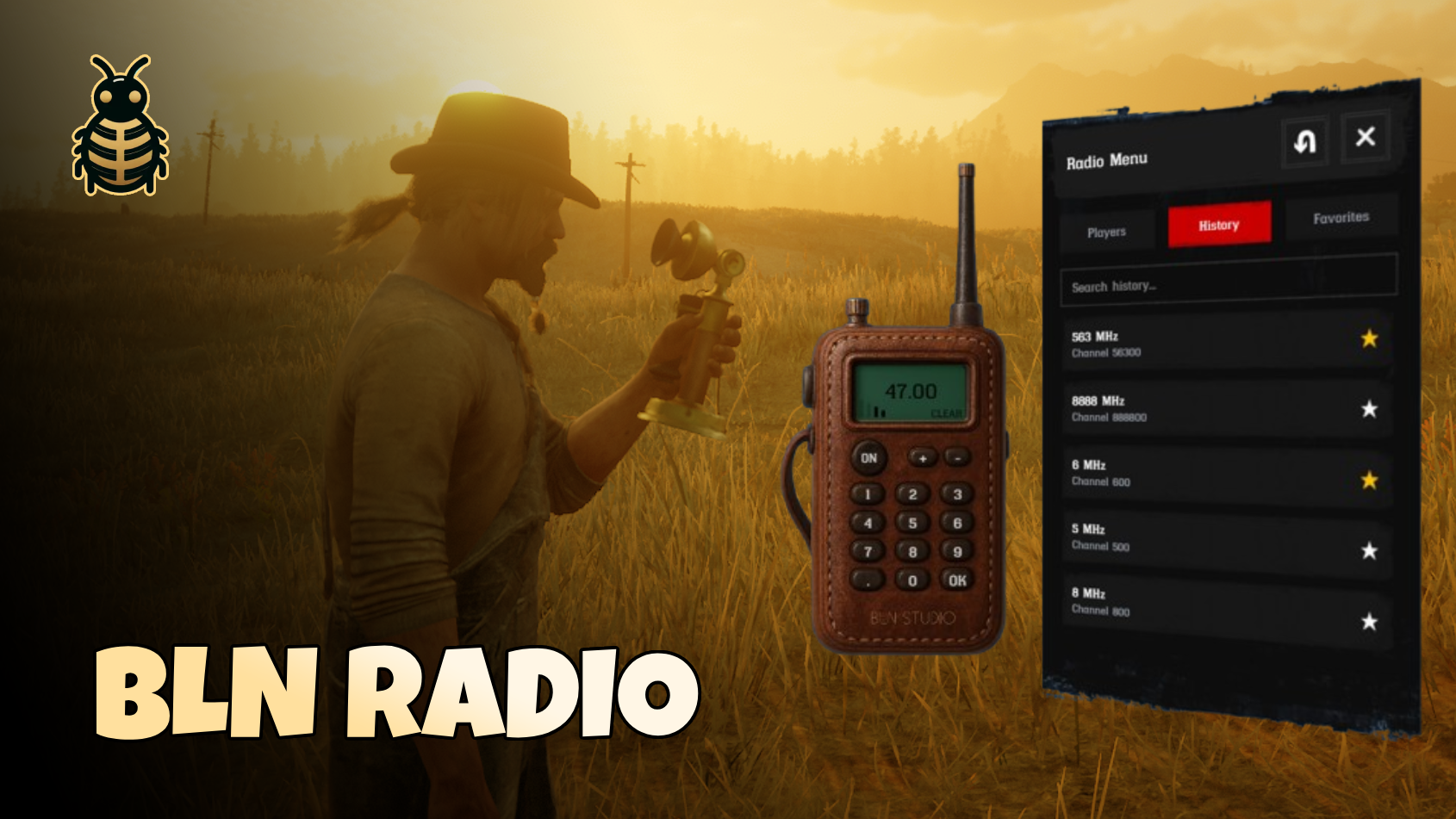
📺 Preview
🔽 Get it Now
BLN Radio System is the most advanced and feature-rich radio communication solution for RedM servers. Built from the ground up with performance, immersion, and user experience in mind, this isn't just a simple voice system - it's a complete communication solution built on top of pma-voice, that transforms how players interact on your server.
✨ Key Features
🎯 Real-Time Communication
- Event-Driven Architecture - No polling, no lag. Instant updates when players join, leave, or start talking
- Live Player Status - See who's talking in real-time with animated indicators
- Zero Performance Impact - Optimized push-based system that scales effortlessly with player count
- Smart State Management - Automatic synchronization across resource restarts
🎨 Beautiful & Intuitive UI
- Authentic Western Design - Immersive period-appropriate interface with hand-crafted textures
- Drag-and-Drop Positioning - Move both the radio and menu anywhere on screen
- Smooth Animations - Elegant slide-up transitions and fade effects
- Responsive Design - Scales perfectly to any resolution
- Two View Modes:
- Full Menu - Complete interface with tabs, search, and history
- Simplified Mode - Minimal player list overlay for quick glances
🔒 Advanced Permission System
- Channel Range Restrictions - Lock specific frequency ranges to jobs or groups
- Flexible Permission Functions - Integrate with any framework (VORP, RSG, QBR, etc.)
- Real-Time Validation - Server-side permission checks prevent unauthorized access
- Custom Error Messages - Informative notifications when access is denied
- Example Configurations:lua
{
    name = "Police Radio",
    channelRange = {1, 100}, -- 0.01 to 1.00 MHz
    permission = function(source)
        return Player(source).state.job == 'police'
    end
}
📱 Smart Features
- Favorites System - Save frequently used channels with custom names
- History Tracking - Automatically tracks your 20 most recent channels
- Search Functionality - Find players, channels, or favorites instantly
- Volume Control - 5 volume levels (0-4) mapped to pma-voice
- Keep Visible Option - Pin the player list to stay open when you close the radio
🎭 Immersive Roleplay
- Custom Animations - Realistic radio holding animations
- Physical Props - Configurable radio props attached to player hands
- Talk Key Binding - Customizable key for radio talk (default: Z)
- Visual Feedback - Speaking indicators with pulse animations
- Sound Effects - Native RedM sounds for UI interactions
👥 Player Management
- Live Player List - See everyone on your channel in real-time
- Talking Indicators - Animated speaker icons when someone talks
- Player Search - Filter players by name or ID
- Self Identification - You're clearly marked in the list
- Server ID Display - Quick reference to player IDs
🌍 Full Localization Support
- Easy Translation - All text strings in locale file
- Multi-Language Ready - Switch languages without editing code
- Custom Notifications - Translatable success, error, and info messages
- Framework Independent - Works with any language setup
🛠️ Developer Friendly
- Debug Mode - Toggle detailed logging with one config option
- Color-Coded Logs - Easy-to-read debug information
- Custom Functions - Override player name display logic
- Framework Agnostic - Designed to work with any RedM framework
- Clean Code - Well-documented and organized
📋 Technical Specifications
- Framework: ✅ VORP ✅ REDEMRP ✅ RSG ✅ QBR ✅ Standalone
- Voice System: pma-voice (required)
- Storage: Client-side KVP (no database needed)
- Dependencies:
- Performance: 0.00ms - 0.01ms (idle)
💻 Configuration
Basic Setup
lua
Config = {}

-- Debug Mode (shows detailed logs)
Config.Debug = true

-- Command to open radio
Config.Command = "bln_radio"

-- Volume Mapping (UI level to pma-voice volume)
Config.VolumeMapping = {
    [0] = 0,   -- Muted
    [1] = 25,  -- Low
    [2] = 50,  -- Medium (default)
    [3] = 75,  -- High
    [4] = 100  -- Max
}

-- Radio Talk Key (Z key by default)
-- Set to nil to disable custom key
Config.radioTalkKey = 0x5A -- Z key code
-- Key codes: https://learn.microsoft.com/en-us/windows/win32/inputdev/virtual-key-codes

-- Notification Settings
Config.NotificationPlacement = "top-left"
Animation & Prop Configuration
lua
-- Radio Holding Animation
Config.RadioAnimation = {
    dict = "mech_inspection@generic@lh@base",
    name = "hold",
    flag = 31
}

-- Radio Prop Settings
Config.RadioProp = {
    model = "p_phoneantique01x",
    bone = "SKEL_L_Finger12",
    position = {
        x = -0.028,
        y = -0.089,
        z = -0.151
    },
    rotation = {
        x = -15.566,
        y = 14.247,
        z = -0.000
    }
}
Channel Permissions
lua
Config.ChannelsPermissions = {
    {
        name = "Police Radio",
        channelRange = {1, 100}, -- 0.01 to 1.00 MHz
        permission = function(source)
            -- VORP Example
            local Core = exports.vorp_core:GetCore()
            local user = Core.getUser(source)
            if not user then return false end
            local character = user.getUsedCharacter
            return character.job == 'police'

            -- RSG Example
            -- local Player = exports['rsg-core']:GetCoreObject().Functions.GetPlayer(source)
            -- return Player.PlayerData.job.name == 'police'

            -- State Bag Example
            -- return Player(source).state.job == 'police'

            -- ACE Permission Example
            -- return IsPlayerAceAllowed(source, 'police.radio')
        end
    },
    {
        name = "Medic Radio",
        channelRange = {101, 200},
        permission = function(source)
            -- Your custom permission logic
            return true -- Allow everyone (example)
        end
    }
}
Custom Player Name Function
lua
-- Located in: s/custom.s.lua

function Custom.GetPlayerName(playerId)
    local playerName = GetPlayerName(playerId)

    -- Customize to use framework names
    -- VORP Example:
    -- local Core = exports.vorp_core:GetCore()
    -- local user = Core.getUser(playerId)
    -- if user then
    --     local character = user.getUsedCharacter
    --     return character.firstname .. ' ' .. character.lastname
    -- end

    return playerName
end
Framework Integration
lua
-- VORP Core (located in s/custom.s.lua)
exports.vorp_inventory:registerUsableItem('bln_radio', function(data)
    TriggerClientEvent('bln_radio:c:openRadio', data.source)
    exports.vorp_inventory:closeInventory(data.source)
end)

-- RSG Core
-- local RSG = exports['rsg-core']:GetCoreObject()
-- RSG.Functions.CreateUseableItem('bln_radio', function(source, item)
--     TriggerClientEvent('bln_radio:c:openRadio', source)
--     TriggerClientEvent("rsg-inventory:client:closeinv", source)
-- end)

-- QBR Core
-- local QBCore = exports['qbr-core']:GetCoreObject()
-- QBCore.Functions.CreateUseableItem('bln_radio', function(source, item)
--     TriggerClientEvent('bln_radio:c:openRadio', source)
-- end)
🎯 How It Works
Connecting to a Channel
- Open Radio - Use
/bln_radiocommand or use radio item - Turn ON - Click the power button (radio shows "ON")
- Enter Frequency - Type the frequency (e.g., 0.50 for channel 50)
- Press OK - Confirm connection to the channel
- Start Talking - Hold Z key (or your configured key) to talk
Using the Menu
- Players Tab - See everyone on your channel in real-time
- History Tab - Access your 20 most recent channels
- Favorites Tab - Save and manage favorite channels with custom names
- Search - Filter players, channels, or favorites
- Drag Menu - Click and drag anywhere to reposition
Permission System
When you try to connect to a restricted channel:
- ✅ Allowed - You connect normally and see the player list
- ❌ Denied - UI stays open, shows error notification, clears frequency
💪 Performance Optimized
Zero impact on server performance. The entire system runs at 0.00-0.01ms when idle, and real-time updates are handled efficiently through state bags and targeted events. Built for servers with 100+ concurrent players.
📞 Support
Need help? Our dedicated support team is ready to assist:
- Discord: Join Our Community
- Documentation: docs.bln-studio.com
- Tebex: bln.tebex.io
Developed with ❤️ by BLN Studio